
Hot

Wondershare Filmora 13
₹290
DigitalHubStore Download Advantages :
- You'll Receive Untouched And Unmodified Files !
- 100% Clean Files & Free From Virus
- All themes 100% original with GPL license
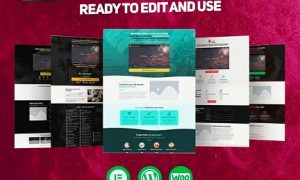
- All Websites UI Are Based on WordPress
- We are Using Premium Template for All Websites UI
- You Will Receive Ready To Import Website UI
- All Websites UI are Multi Vendor Ready
- 1 Year Free Update for All Premium Templates

Unable To Place Order?
If you face any problem while placing order, click to WhatsApp us.
Description
SALE PAGE: FILMORA VIDEO EDITING SOFTWARE
Filmora is a video editor for all creators which can be used on Windows as well as on Mac computers. What’s more, there are some built-in music tracks and sound effects available which can be used for free. Besides the basic video editing features such as trimming, cutting, splitting, Filmora also provides video stabilization, Chroma keying, color grading, and audio editing tools.
Features
- Support for all standard (and some not standard) video, audio and picture files, DVD and devices including
- Slideshow pro version for pictures
- Automation (full)
- Visual Effects (full)
The latest release of Filmora is fully compatible with Windows 11 and a great choice for amateur and professional video editing. Filmora is free to download and sign up, after download the software is ready to go. One thing that makes Filmora a favorite is the option between 2 video editing modes, easy mode, or full feature mode. Obviously, Filmora is full of templates and presets to enable users of any experience level to create a complete, professional-looking project with ease as well as provides the user with a full range of editing features. Filmora allows editing of video, audio, images, and the addition of text and titles. With a very reasonable annual license fee, getting to know all of the features of this software is inexpensive. The option of pay once, lifetime license fee (including updates), makes Filmora an ideal choice for current and future editing projects
Professional Video Maker
You can easily import, edit, or convert favourite videos and create a complete professional video streaming. When video editing is complete, you can upload it directly to various online platforms and share it with your friends.
Just drag and drop audio, videos, and photos on the software and crop, rotate, trim, add a caption and graphic material, apply filter effects, adjust video effects, etc.
Create 4K Video
This editor allows you to keep the resolution of your video. How easy it is to edit a video, unless one is editing Filmora 11 free, you will not understand. Wondershare Video Editor is the best movie editor that allows you to easily edit your movies or film.
YouTube Video Editor
With this, you can quickly edit any type of video. If you have a YouTube channel and you are new to video editing then this software is for you. Because the program is easy to use on any computer.
Standard Video Tutorial Maker
It allows you to import any type of standard, HD, and even 4K videos. You can even create a standard video tutorial by screen recording your computer via webcam. Moreover, there are four ways to support your videos in device, format, YouTube social media, and DVD.
Easy to Use
This software can be used by any type of user from new to professional. It will help you as a friend to build a good career in the video editing marketplace. Similarly, it allows you to edit videos in two different modes.
- Easy Mode
- Full-featured mode
You can perform your task by selecting any one of these methods.
Only logged in customers who have purchased this product may leave a review.






Reviews
There are no reviews yet.